What if every visitor saw a different version of your website? Not a random redesign, but a version shaped by what they came for, where they came from, what they clicked, and whether they have been here before. That is the promise behind AI-powered personalisation web design: websites that adapt in real time instead of serving the same generic experience to everyone. The uploaded 2026 brief for this topic frames the shift clearly: static websites are losing ground, while adaptive experiences are becoming the new baseline. That shift is not theoretical.
McKinsey has long argued that personalisation can lift revenue and improve marketing efficiency, and the larger point still holds in 2026: when content feels relevant, people are more likely to stay, click, and convert. The real change is that personalisation is no longer limited to enterprise giants with custom engineering teams. AI now makes it possible for smaller businesses to build adaptive user journeys, dynamic content blocks, and smarter conversion flows without rebuilding the entire site from scratch.
AI-powered personalisation in web design is the use of data and machine learning to adapt a website’s content, layout, calls to action, or navigation based on the visitor in front of it. Instead of showing every visitor the same hero image, same menu, and same CTA, the site changes based on signals such as device, referral source, scroll depth, past visits, or intent. In plain English, the website stops behaving like a brochure and starts behaving more like a good salesperson. This is different from a basic A/B test. A/B testing compares two fixed versions of a page and tells you which one performs better overall.
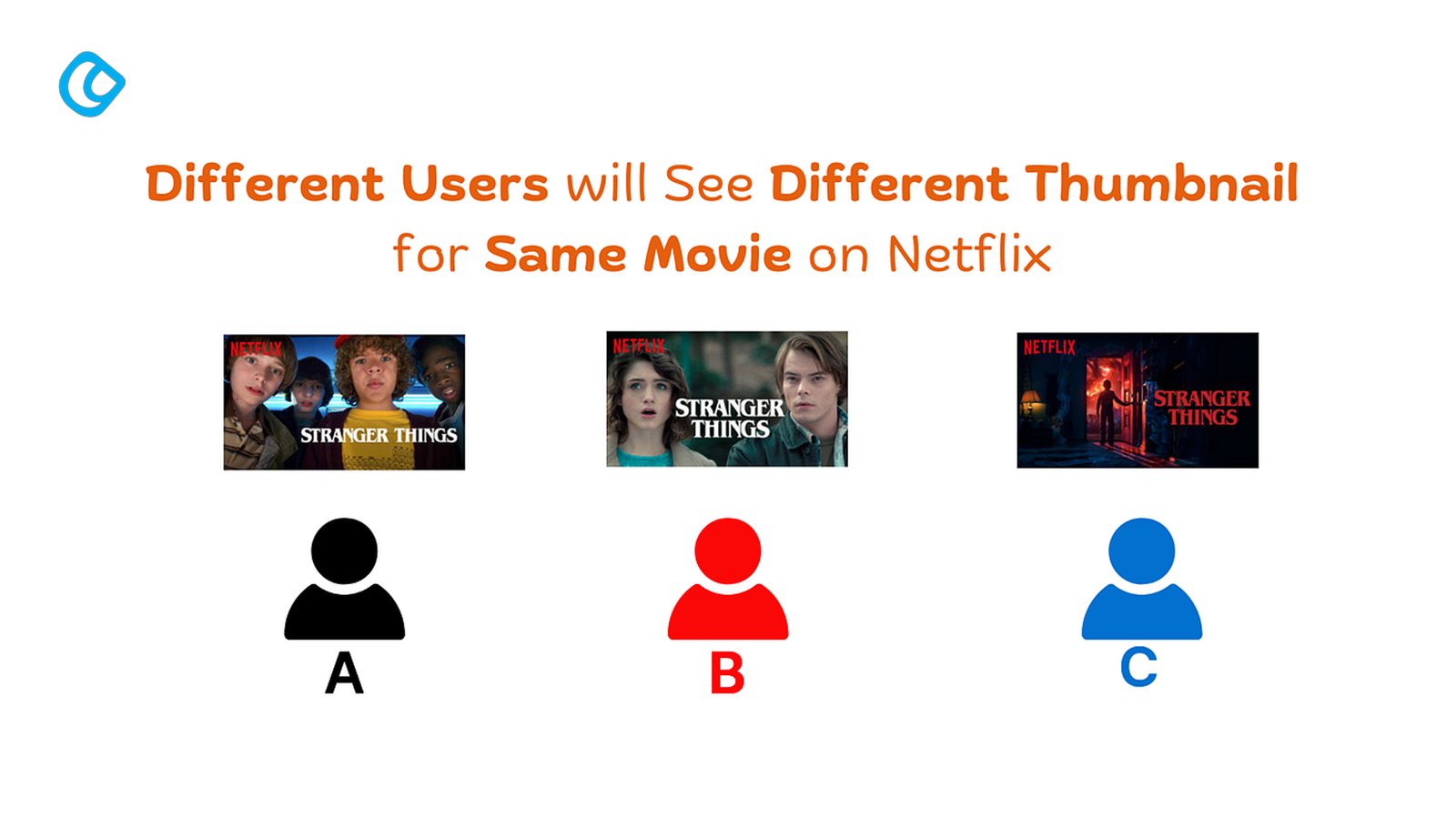
Personalisation goes further by showing different versions to different users simultaneously, based on who they are and what they are doing. That is why the best AI personalisation website strategies are not about changing one button color; they are about reshaping the experience around user behavior. If you want a comprehensive team for your business, a Leading Web development company in India, like Acodez IT Solutions, can assist you with scaling.
The decision logic can be rule-based or machine-learning-driven. Rule-based personalisation follows if/then logic, such as showing a discount banner only to visitors coming from paid ads. Machine learning goes further by looking at patterns across sessions and predicting what is most likely to work for a given user segment. In 2026, the most effective sites use both control rules and AI for scale.
Approach
How it works
Best for
Rules-based personalisation
If a visitor meets a condition, show a specific experience
Simple campaigns, clear segments, limited data
Machine-learning personalisation
Models predict the most relevant content or layout
Larger sites, more traffic, richer behavior data
One reason this matters now is the post-cookie environment. First-party data, on-site behavior, and consented user interactions have become more valuable because they are more reliable than third-party tracking. That means adaptive design is increasingly built around what your own site can observe, not what outside tracking can infer.
7 Ways AI Personalisation is Changing Web Design Right Now
1. Dynamic Layout Restructuring
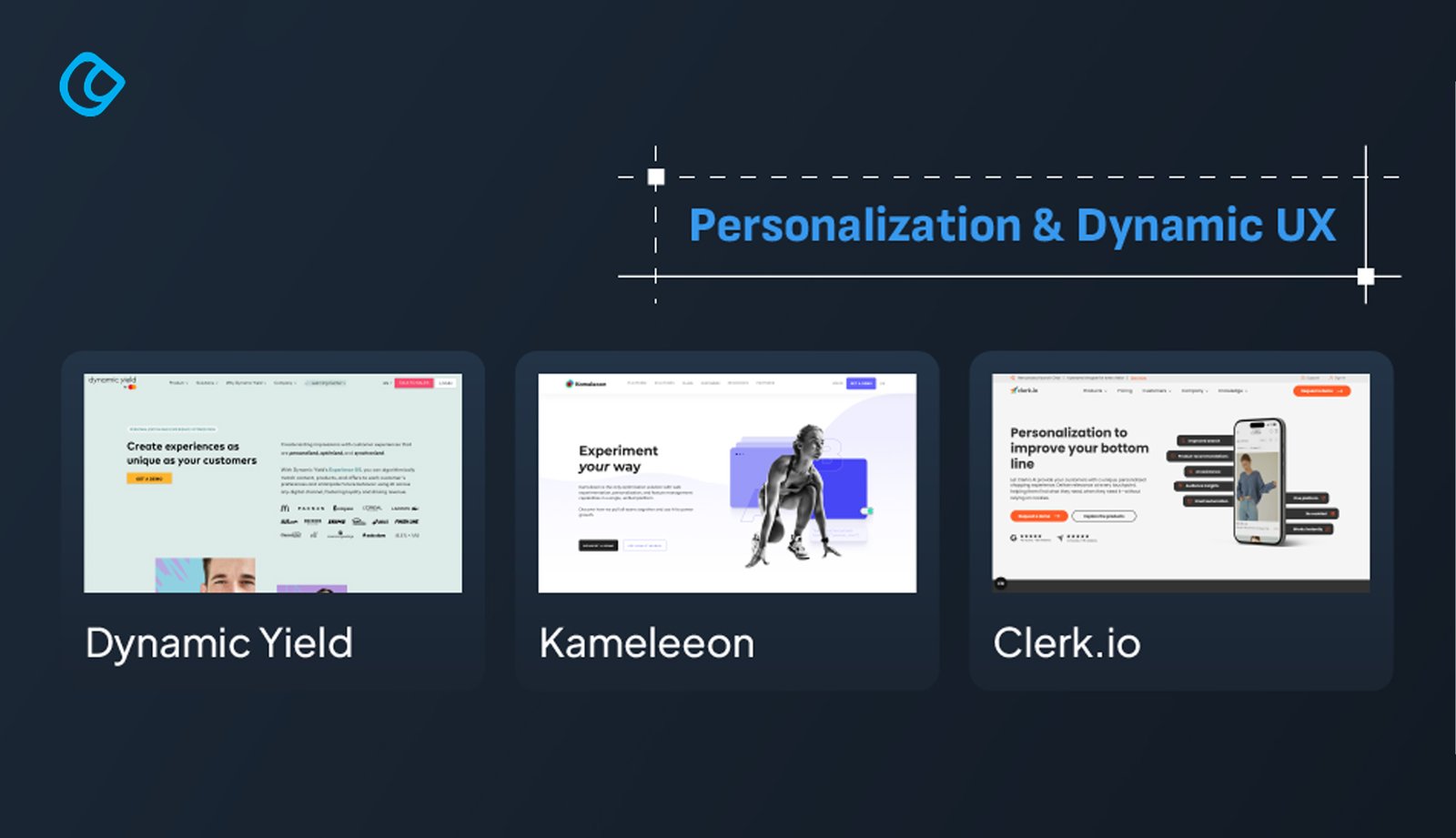
The most visible change is that pages no longer need to be fixed in one order. A first-time visitor might see a brand story, trust signals, and an educational CTA. A returning customer might see product recommendations, social proof, and a faster path to checkout. Tools such as Dynamic Yield and Mutiny make this kind of layout adaptation practical because they let teams change what appears first without redesigning the entire page. A SaaS company, for example, might show a pricing-focused layout to high-intent visitors while showing a value-led educational layout to colder traffic. The business result is simple: less friction for the user and better conversion alignment for the brand.
2. Adaptive Hero and Content Blocks
The hero section used to be the same for everyone. In 2026, that is often a missed opportunity. If a visitor lands from a paid LinkedIn campaign, the page can match the campaign message. If they arrive from a blog post about a specific service, the hero can highlight that service rather than the general homepage pitch. This is where dynamic content personalisation becomes valuable. A retail brand can swap hero imagery based on season or audience segment. A B2B company can show a different headline to visitors from an industry-specific campaign. The point is not novelty; it is relevance. When the page feels like a continuation of the journey, the visitor is more likely to keep going.
3. Intelligent Navigation and On-Site Search
Navigation is often treated as a fixed design element, but AI makes it more fluid. A visitor who repeatedly browses support content does not need the same navigation emphasis as someone comparing services. AI can reorder menu priorities, surface popular categories, or highlight the most likely next step based on prior behavior. This matters even more for large sites and e-commerce catalogs. Intelligent search can surface intent-matched results faster, especially when users do not know the exact product name. Instead of forcing people to hunt, the site guides them. That reduces frustration and shortens the path to the right page.
4. Behavioural-Triggered CTAs
Traditional websites usually rely on one CTA per page. AI-driven sites can do better by showing different prompts based on behavior. A user who scrolls deeply through a case study might see a consultation CTA. A user who lingers on a pricing page might see a comparison guide or a demo request. This shift is already well underway; around 84% of e-commerce businesses are either integrating AI or planning to, with personalised recommendations driving up to 31% of revenue as the single most common AI use case. Behavioral targeting websites use signals such as exit intent, time on page, return visits, and scroll depth to decide when the CTAshould appear and what it should say. Microsoft Clarity, Hotjar, and FullStory help identify these patterns, while personalisation tools turn them into action. The result is a CTA that fits the moment instead of interrupting it.
5. Embedded Agentic Assistants in UX
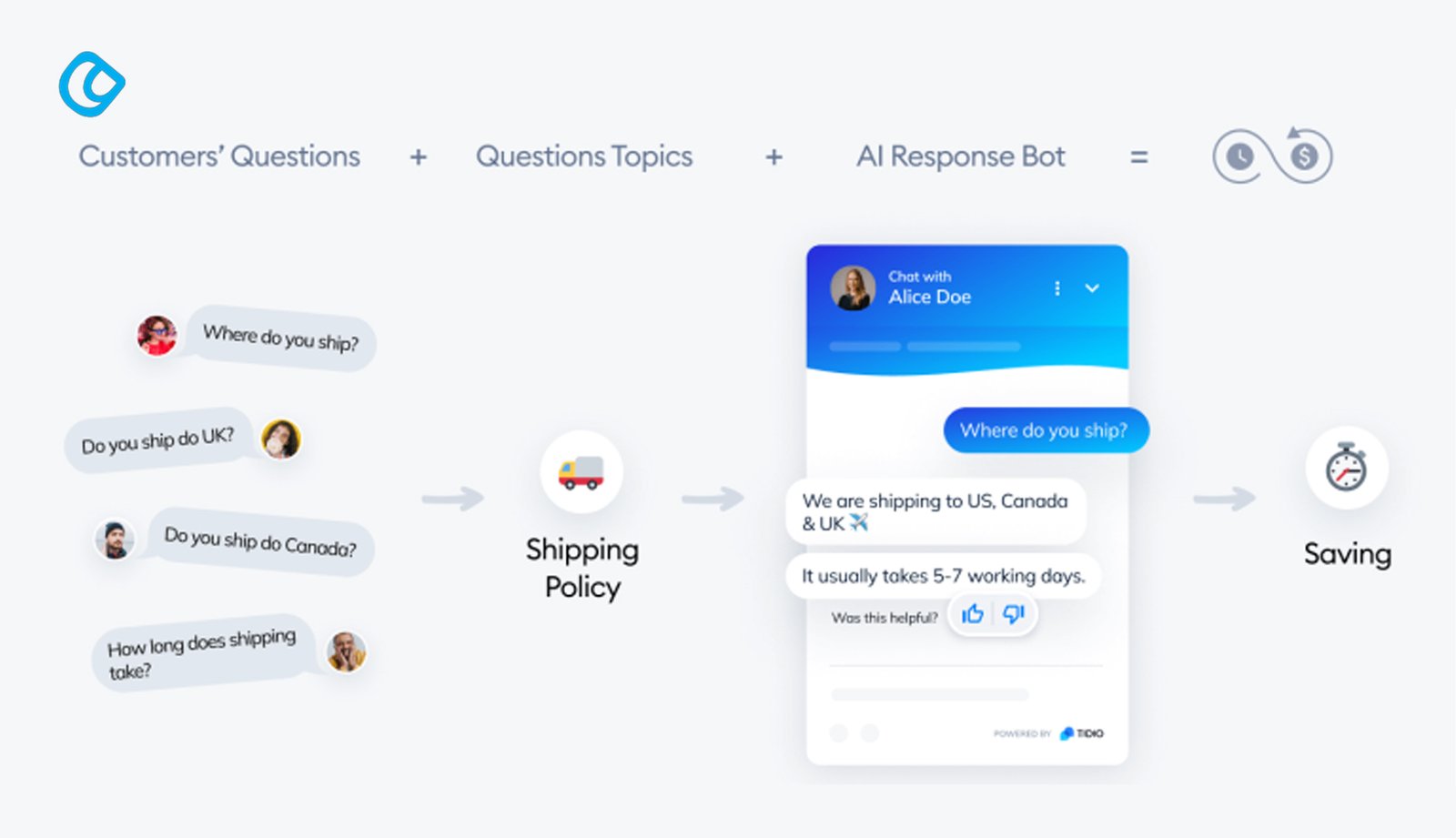
The newest change is that AI assistants are no longer bolted on as obvious chat widgets. They are increasingly woven into the experience itself. A visitor looking for a service can ask a question and get guided to the right page, the right product, or the right next step without leaving the site. Tools like Intercom, Tidio, and WATI can support this kind of embedded assistance. When done well, the assistant acts like a helpful guide rather than a pop-up distraction. For support-heavy businesses, this can improve both conversion and satisfaction. For content-heavy sites, it can reduce dead ends and move visitors toward action faster.
6. Generative AI visuals
AI is also changing the visual side of web design. Tools like Midjourney and Adobe Firefly are being used to create hero images, campaign concepts, and custom illustrations much faster than traditional production cycles allow. This gives teams more flexibility when they need fresh visuals for different audiences or promotions. Used well, generative visuals can make a site feel more current and more tailored. They are especially helpful for landing pages, seasonal campaigns, and content sections that need a stronger visual identity without a long design turnaround. The best results still come from human direction, not from letting the tool decide everything.
7. AI-powered accessibility optimization
Accessibility is becoming easier to manage with AI-assisted workflows. Tools can now help generate alt text, flag contrast issues, and surface WCAG problems before they become a barrier for users. That makes accessibility checks faster and more practical for busy teams. This matters because good design should work for more people, not fewer. AI can support the process by reducing manual checks and helping teams catch small issues earlier. It will not replace accessibility thinking, but it can make accessible design much easier to maintain.
The ROI case for AI Personalisation: Real Business Results
The business case for personalisation is stronger than the buzz around it. McKinsey has reported that personalisation can drive a 5–15% revenue lift and improve marketing efficiency by 10–30%. That makes it more than a design trend; it is a commercial lever. A 2025 Glassix study found that websites using AI chatbots saw a 23% conversion rate lift compared with those without them. That lines up with a practical truth many teams already know: when users get a faster answer, they are less likely to leave. The value is not just in “having AI”; the value is in reducing hesitation at the exact moment it appears.
The Figma 2025 AI report also points to a broader shift in how teams work, with 68% of developers saying AI improves their work quality and 51% of Figma users building AI agents in 2025, up from 21% the year before. That matters for web design because AI is no longer sitting outside the design workflow. It is part of how pages are planned, prototyped, tested, and adjusted. The clearest way to think about ROI is before and after. A generic site treats every visitor the same and hopes the message lands. A personalised site adapts the message, reduces friction, and improves the chance that the right visitor sees the right action. Over time, that usually means better conversion rates, better engagement, and less wasted traffic.
If your current website feels too static, this is the moment to review whether your design, content, and analytics are ready for personalisation. A web design consultation can reveal where the biggest gains are hiding.
Tools Enabling AI Personalisation in 2026
The right tool depends on the problem you are trying to solve. Some tools are for content personalisation. Others help you understand user behavior. Others make it easier to add AI-driven assistance or design smarter experiences during prototyping.
Use Case
Tools
What They Help With
Content personalisation
Dynamic Yield, Klaviyo, Mutiny
Segment-based content, offers, and page variations
Behavioral analytics
Microsoft Clarity, Hotjar, FullStory
Heatmaps, recordings, drop-off insights
Agentic assistants
Tidio, Intercom, WATI
Guided support, embedded AI help, chat-driven UX
Design and prototyping
Figma AI, Figma Make, Framer
Faster experimentation and adaptive concepts
Dynamic Yield, Klaviyo, and Mutiny are useful when the goal is to tailor content by audience or source. Microsoft Clarity is a strong starting point because it is free and gives you a clear view of where users struggle. Hotjar and FullStory go deeper when you need more context around behavior. For agentic assistants, the most important question is not whether the chatbot sounds smart. It is whether it helps the visitor take the next useful step. If it does not reduce friction, it is just decoration. For design teams, Figma AI, Figma Make, and Framer can help prototype adaptive ideas faster, which is useful before anything is shipped live.
The main thing to remember is that tools do not create strategy. They accelerate it. A weak site with a strong tool still underperforms if the segmentation is messy or the user journey is unclear.
What AI Personalisation Cannot Do and Why Human Design Still Matters
AI can adapt a layout, but it cannot define your brand. It cannot tell you who you are, what you stand for, or why someone should choose you over the next business. That work still belongs to people who understand the market, the customer, and the business model. This is where personalisation can go wrong. If you personalise a confusing website, you just create personalised confusion. If your value proposition is weak, AI will not rescue it. Good personalisation depends on good structure, good content, and a clear brand strategy first.
There is also a privacy side to this conversation. First-party data, consent, and GDPR-aware workflows matter because personalisation should not come at the cost of trust. The strongest websites are the ones that use data responsibly and explain enough of the experience to feel helpful, not invasive.
Human design decisions still matter because authenticity matters. A designer or strategist can sense when a page is too clever, too noisy, or too aggressive. AI can recommend. People still need to judge.
How AI Is Changing the Way People Find Websites
AI is changing website discovery in a very practical way: people are no longer relying only on search results and blue links. They are asking tools like ChatGPT, Perplexity, and Google’s AI-driven results for recommendations, summaries, comparisons, and next steps. That means a website is no longer judged only by how well it ranks on a search results page, but also by how clearly it can be understood, summarized, and recommended by AI systems. This shift changes how traffic arrives. A visitor may first hear about a brand through an AI answer, then search for it directly later, or visit without a visible referral at all. That makes discovery harder to track, but it also makes first impressions more important. If your content is vague, thin, or difficult to interpret, AI systems are less likely to surface it. If your pages are structured, specific, and useful, they are easier to pull into an answer or recommendation.
For web design, this means clarity now matters just as much as creativity. Pages need strong headings, an obvious page purpose, readable content blocks, and content that answers real questions quickly. The design itself also has to support this behavior: clean layouts, helpful navigation, and clear calls to action make it easier for both people and AI-assisted discovery paths to move forward.
How to Start a Practical Implementation Roadmap
Phase 1: Audit
Start by understanding where your current site loses people. Install Microsoft Clarity or a similar behavioral analytics tool and review recordings, heatmaps, and drop-off points. Look for pages where users hesitate, bounce, or ignore the main CTA. That gives you a practical starting point instead of a vague redesign target.
Phase 2: Segment
Define two or three visitor types you actually care about. A new visitor from paid social is not the same as a returning user from organic search. Nor is a pricing-page visitor the same as someone who landed on a blog post. Keep the first segments simple so the experience remains manageable.
Phase 3: Test
Run one personalisation test before trying to personalise everything. Change one landing page, one CTA, or one hero section based on a clear user segment. Measure whether it improves click-through, scroll depth, or conversion. Small wins are easier to validate and easier to scale.
Phase 4: Scale
Once the first test works, expand carefully. Add personalized content blocks, a chat assistant, or adaptive navigation. Keep the logic consistent so the site feels like one experience, not a collection of disconnected experiments. The best personalisation systems grow in layers, not all at once.
Conclusion
The personalized web is becoming the expected web. Visitors are already used to experiences that remember them, respond to them, and reduce friction. That is why AI-powered personalisation web design in 2026 is less of a trend and more of a new baseline for serious brands. The three biggest takeaways are simple. First, personalisation works best when it is grounded in clear user signals. Second, the tools matter, but strategy still matters more. Third, the strongest websites will keep human judgment at the center while using AI to make the experience more relevant and responsive. If you are planning a redesign, personalisation should be part of the conversation from the beginning, not a feature added at the end. The teams that start now will have a better shot at building sites that feel useful instead of generic, and that is where the real advantage begins.
Acodez is a leading web design company in India offering all kinds of web development and design solutions at affordable prices. We are also an SEO and digital marketing agency in India, offering inbound marketing solutions to take your business to the next level. For further information, please contact us today.
Frequently Asked Questions
What is AI personalisation in web design?
AI personalisation in web design is the practice of adapting website content, layout, and calls to action based on visitor behaviour, source, device, or intent. It helps the site feel more relevant to the person using it.
How does a website personalise content for different visitors?
A website can use behavior signals such as referral source, time on page, scroll depth, past visits, and clicks to decide what to show. Some systems follow rules, while others use machine learning to predict the best experience.
Is AI personalisation only for large businesses?
No. Larger businesses usually have more data, but smaller teams can still start with simple behavior-based personalisation. A focused rollout is often enough to improve results without a big technical build.
What is the difference between A/B testing and AI personalisation?
A/B testing compares fixed versions of a page. AI personalisation serves different experiences to different users at the same time, based on who they are and what they do.
How much does AI personalisation cost to implement?
The cost depends on the tools you choose and how much custom work is needed. Some teams start with free behavioral analytics and simple rules-based tools, then expand into more advanced platforms as results justify the investment.
Looking for a good team
for your next project?
Contact us and we'll give you a preliminary free consultation on the web & mobile strategy that'd suit your needs best.
Jamsheer K, is the Tech Lead at Acodez. With his rich and hands-on experience in various technologies, his writing normally comes from his research and experience in mobile & web application development niche.